
Workfast.ai: The Future of AI-Driven Productivity and Team Collaboration
What is Workfast.ai?
Workfast.ai is an AI-powered productivity and collaboration platform designed to eliminate inefficiencies in how modern teams work. Instead of juggling multiple disconnected tools—one for tasks, one for chat, another for reports—Workfast.ai brings everything into a single intelligent workspace. It is engineered to automate repetitive actions, streamline communication, and keep teams focused on outcomes rather than operations.
The platform’s architecture is grounded in three core ideas: AI automation to remove routine manual effort, unified communication to ensure context never leaves the workflow, and structured task visibility to provide a clear overview of projects at any scale. Together, these elements form a self-organizing system where work flows naturally from planning to execution without friction.
At its heart, Workfast.ai acts as both a project manager and a silent co-worker. It observes patterns in how teams operate—such as recurring check-ins, follow-ups, or approvals—and uses AI to automate them intelligently. This approach minimizes cognitive overhead and allows teams to spend more time on creative or analytical tasks instead of process enforcement.
Its target users range from startups and SMEs that need scalable, cost-effective task management, to business leaders and founders who want operational clarity without enterprise-grade complexity. Whether managing product sprints, sales pipelines, or content calendars, Workfast.ai adapts its workflows to the way teams actually work—making it versatile across industries including app development, marketing, and client services.
Ultimately, Workfast.ai is less about replacing existing tools and more about redefining how they coexist. By integrating task management, team communication, and AI-driven reporting in one ecosystem, it shifts the paradigm from fragmented software stacks to a cohesive intelligence layer that manages work for you, not just with you.
Key Features that Define Workfast.ai
What makes Workfast.ai stand out is its architectural focus on automation, clarity, and consolidation. Every feature is designed to remove redundant steps from a user’s workflow while maintaining transparency and control. Below are the core pillars that shape its intelligent productivity model.
1. AI Automation and Intelligent Reminders
At the center of Workfast.ai lies its AI-driven automation engine. The platform continuously identifies repetitive patterns—task updates, meeting follow-ups, progress checks—and automates them with precision. Intelligent reminders ensure that no milestone or deadline is missed, while adaptive algorithms learn user preferences over time. This creates a system that not only tracks work but anticipates it, allowing teams to operate in proactive rather than reactive mode.
2. Unified Communication and Collaboration
Traditional project management often fragments communication across chat apps, comments, and emails. Workfast.ai fixes this by embedding real-time chat and threaded task discussions directly within each project view. Every message, file, and update stays tied to its context—no more switching windows to find what was said or agreed upon. This unified layer of collaboration promotes accountability and reduces miscommunication across teams and departments.
3. Spreadsheet-Like Task Views
For teams that live in spreadsheets, Workfast.ai’s structured table views offer the familiarity of Excel or Google Sheets combined with the intelligence of AI. Tasks can be sorted, filtered, and edited in bulk without leaving the interface. These views provide both granularity and control—essential for managers who need quick visibility into workloads, dependencies, and bottlenecks. It blends the simplicity of a grid with the adaptability of modern task boards.
4. Smart Reporting and Custom Dashboards
Reporting is not treated as an afterthought in Workfast.ai. The platform delivers customizable dashboards that combine real-time data visualization with AI-generated insights. Instead of static charts, users can generate dynamic reports that highlight trends—such as task completion velocity or recurring blockers. This data-backed visibility allows decision-makers to align performance metrics with strategic objectives, closing the gap between execution and evaluation.
5. Seamless Integrations with Business Tools
Modern teams rely on a mix of CRM, communication, and development tools. Workfast.ai integrates smoothly with this ecosystem, ensuring that workflows remain continuous. API support and native integrations allow data to flow without duplication, maintaining a single source of truth across departments. The result is a platform that adapts to existing workflows rather than demanding new ones.
6. Time-Saving Intelligence for Everyday Operations
Unlike legacy tools that focus solely on task tracking, Workfast.ai adds a layer of contextual intelligence to simplify daily operations. AI prioritizes urgent tasks, flags dependencies, and helps assign ownership automatically. For team leads, this means fewer manual check-ins and more strategic oversight. The system effectively transforms busywork into background processes—accelerating decision-making without compromising control.
In short, Workfast.ai’s design philosophy revolves around one principle: reduce friction, amplify focus. Every feature, from reminders to reports, is engineered to keep teams synchronized, self-aware, and scalable—without the clutter of conventional enterprise software.
Why Businesses Are Choosing Workfast.ai
In an environment where productivity tools often multiply faster than efficiency itself, Workfast.ai presents a refreshing proposition — fewer tools, faster execution, and measurable clarity. Its core philosophy is to make technology invisible and intelligent, enabling teams to achieve more with less cognitive load.
Traditional project management systems evolved to handle complexity, but in doing so, they often created new kinds of friction — steep learning curves, disconnected interfaces, and redundant manual updates. Workfast.ai tackles this head-on by combining AI automation, task orchestration, and contextual collaboration into one continuous experience.
1. A Unified Workspace That Replaces the Tool Stack
Most growing businesses rely on a mosaic of tools: Slack for chat, Asana or Jira for task tracking, and Google Sheets for reporting. Each adds value but fragments data. Workfast.ai consolidates these workflows into a single, intelligent workspace — minimizing tab fatigue and eliminating the inefficiencies of context switching. This unification allows decision-makers to manage operations, communication, and outcomes in one view.
2. Built for Speed and Simplicity
The platform’s design deliberately favors usability over configuration. Teams can onboard within hours, not weeks. Its clean interface and spreadsheet-like project views make it immediately familiar to non-technical users, while AI assists in automating repetitive actions behind the scenes. Compared to enterprise-grade systems that demand training and customization, Workfast.ai prioritizes velocity — getting teams productive faster and keeping them that way.
3. Affordability Without Compromise
Workfast.ai positions itself as a cost-efficient alternative to enterprise tools such as Jira or Zoho Projects. Its pricing is tier-based rather than per-user, allowing startups and SMEs to scale predictably without worrying about compounding license fees. Businesses pay for functionality, not headcount, which aligns better with dynamic team structures and lean operations.
4. AI That Works Quietly, Not Intrusively
Where many AI tools insert themselves into workflows through prompts and suggestions, Workfast.ai’s automation is embedded at the process level. Tasks are auto-prioritized, reminders are scheduled intelligently, and reports are generated in the background. The goal is not to introduce another layer of interaction but to remove redundant ones entirely. AI acts as the silent force ensuring progress continuity without demanding constant supervision.
5. Designed for Teams, Not Just Managers
Unlike legacy project management tools that focus on top-down visibility, Workfast.ai was engineered for both leaders and contributors. Every user benefits from clarity—team members see where they fit in the workflow, while leaders gain consolidated dashboards to track outcomes. This balance of autonomy and accountability creates healthier team dynamics and more transparent execution.
Ultimately, organizations adopt Workfast.ai because it doesn’t ask teams to change how they work; it simply amplifies what they already do. By consolidating multiple tools, automating repetitive effort, and keeping every conversation tied to its task, it brings operational coherence back into focus. The outcome is tangible — faster execution cycles, reduced overhead, and a calmer, more predictable way to manage modern work.
Workfast.ai vs Jira: Simplicity Meets Intelligence
The most direct comparison that defines Workfast.ai’s positioning in 2025 is against Jira — the long-standing heavyweight of software project management. Jira has dominated engineering teams for over a decade, but its complexity and development-centric design make it less appealing for non-technical users or cross-functional teams. Workfast.ai, on the other hand, reimagines what project management looks like when AI takes the administrative load off people’s shoulders.
Let’s explore how these two platforms diverge in philosophy, functionality, and user experience.
| Feature | Workfast.ai | Jira |
|---|---|---|
| Focus | AI-driven simplicity for general business use across industries. | Agile project tracking for software development and DevOps teams. |
| Automation | Native AI automations for repetitive tasks and reminders; learns from workflow patterns. | Limited AI; relies on add-ons or integrations for automation. |
| Collaboration | Built-in chat and contextual task comments; communication unified within the app. | Issue comments and dev tool integrations; conversation often happens outside the platform. |
| Usability & UI | Minimalist and intuitive; short learning curve for business teams. | Powerful but dense; steep learning curve, especially for non-engineers. |
| Reporting | AI-generated reports and custom dashboards tailored for clarity. | Agile charts (burn-down, velocity, cumulative flow); focused on dev metrics. |
| Pricing | Tiered pricing (flat monthly); more affordable for scaling startups. | Per-user model; cost escalates quickly with team size. |
1. Simplicity as a Design Principle
While Jira thrives on configurability, Workfast.ai thrives on simplicity. Jira offers hundreds of customizable fields, workflows, and plugins—but for many teams, that translates into unnecessary setup time. Workfast.ai eliminates the need for manual configuration through AI-led onboarding that automatically aligns templates, roles, and permissions with team size and purpose.
2. Automation Beyond Agile
Workfast.ai doesn’t limit automation to developer pipelines or sprint reports. It applies AI to cross-functional workflows—automating follow-ups in marketing, approvals in sales, or content progress tracking for operations. Its automation is universal, not discipline-specific. That makes it especially valuable for companies whose teams span multiple domains beyond engineering.
3. Collaboration Without Fragmentation
Jira’s collaboration model assumes that most communication happens elsewhere—Slack, Teams, or email. Workfast.ai embeds messaging directly inside projects. Task comments double as live discussions, and shared documents are contextually linked to deliverables. This removes ambiguity about “where things live” and ensures that progress is always traceable in one thread.
4. Broader Usability and Market Reach
Jira remains indispensable for large engineering teams needing complex sprint management. However, Workfast.ai is designed for everyone else — business leaders, startup founders, and hybrid teams that prioritize clarity over configurability. Its spreadsheet-like interface ensures adoption without resistance, giving non-technical professionals the same control engineers enjoy in Jira.
In short, while Jira excels in agile depth, Workfast.ai wins on accessibility and adaptability. It brings the intelligence of automation and the fluidity of collaboration into a single, affordable framework — effectively democratizing project management for a broader audience.
Workfast.ai vs Zoho Projects: Ecosystem vs Efficiency
When comparing Workfast.ai with Zoho Projects, the discussion extends beyond features—it’s about philosophy. Zoho represents a vast ecosystem of business applications integrated under one umbrella, from CRM to finance to HR. Workfast.ai, by contrast, focuses on doing one thing exceptionally well: simplifying work execution through AI-driven automation and unified communication.
Both platforms aim to streamline project management, but their approaches differ fundamentally. Zoho Projects thrives as part of a larger business suite, while Workfast.ai stands out as a lean, self-contained productivity system that scales with your team without the complexity or cost overhead of a full enterprise stack.
| Feature | Workfast.ai | Zoho Projects |
|---|---|---|
| Task & Project Management | AI-driven task automation, spreadsheet-like views, real-time reminders, integrated chat. | Comprehensive planning with Gantt charts, task dependencies, and milestones. |
| AI & Automation | Embedded AI engine that automates recurring tasks and reporting. | Workflow automation via rules and Zoho’s assistant, Zia; less deeply integrated. |
| Collaboration & Communication | In-task chat, threaded discussions, and unified message history. | Discussion forums, chat, and file sharing within the Zoho suite. |
| Integrations | Streamlined integrations with key business tools and APIs. | Deep integration across Zoho CRM, Desk, Mail, and external apps. |
| Usability & UI | Minimal learning curve; clean design focused on fast adoption. | Feature-rich but complex; takes longer to configure and master. |
| Reporting & Analytics | Custom dashboards and AI-curated insights for productivity tracking. | Detailed project analytics with advanced resource management charts. |
| Pricing | Fixed monthly tiers (Rs.10,000–Rs.25,000) covering all users. | Per-user pricing (Rs.2,250–Rs.5,000 per user/month), scales with team size. |
1. Lean Intelligence vs Expansive Ecosystem
Zoho Projects benefits from its connection to the broader Zoho ecosystem, which is ideal for enterprises already invested in its suite. However, this comes with added administrative weight. Workfast.ai offers a leaner setup — no dependencies, no additional modules — just an AI-first platform designed to get teams working productively from day one.
2. Simpler Pricing, Predictable Scaling
One of Workfast.ai’s biggest advantages is its fixed monthly pricing model. Unlike Zoho’s per-user costs that rise as teams grow, Workfast.ai allows predictable budgeting. This is particularly advantageous for startups and mid-sized teams managing fluctuating headcounts. You pay for the platform’s intelligence, not for each individual login.
3. User Experience and Learning Curve
Workfast.ai was designed for immediate adoption. The interface is intuitive, mirroring common spreadsheet workflows, and requires minimal onboarding. Zoho Projects, though robust, can overwhelm first-time users with its configuration options and dense navigation. Where Zoho emphasizes breadth, Workfast.ai emphasizes clarity and speed.
4. AI at the Core, Not the Edge
Zoho’s AI assistant, Zia, provides insights and task suggestions but operates as a companion layer. Workfast.ai, on the other hand, builds AI into its foundation. Every automation—from reminders to reporting—is powered by AI logic that learns from team behavior. This deep integration makes the system feel more adaptive and less mechanical over time.
In essence, the choice between Workfast.ai and Zoho Projects comes down to intent. If you need a comprehensive business suite spanning multiple departments, Zoho’s ecosystem is unmatched. But if your goal is AI-driven operational agility—where simplicity, automation, and cost-efficiency matter most—Workfast.ai offers a sharper, more focused solution built for modern teams.
Migration Guide: Moving from Jira to Workfast.ai
For organizations accustomed to Jira’s structure but ready for a leaner, AI-driven experience, transitioning to Workfast.ai is both achievable and worthwhile. Although there isn’t a single-click migration tool as of 2025, the process is straightforward if approached systematically. This section outlines a practical, step-by-step migration framework designed to minimize disruption and ensure data fidelity.
Step 1: Export Data from Jira
Start by exporting your Jira data—tasks, subtasks, epics, stories, comments, and attachments. Jira typically supports CSV or JSON exports. To maintain hierarchy and relationships, it’s advisable to segment exports by project or issue type. Clean up your dataset before migration: remove closed projects, archive redundant issues, and ensure user and date fields are up to date. The goal is to bring only relevant, accurate information into Workfast.ai.
Step 2: Prepare and Map Data for Workfast.ai
Each platform structures information differently. Before importing, map Jira’s fields (like Issue Type, Priority, Status, Assignee) to their Workfast.ai equivalents such as Task Type, Urgency, and Assigned Member. Ensure date formats, user IDs, and dependencies align with Workfast.ai’s schema. If you’re using custom fields in Jira, plan which to retain, merge, or eliminate for a cleaner setup.
Step 3: Import Data into Workfast.ai
Once mapping is ready, use Workfast.ai’s import tools or API endpoints to upload the data files. Start with high-level project elements—like epics or parent tasks—before importing subtasks and linked items. This sequencing preserves hierarchical integrity. After import, validate key project attributes: task owners, due dates, attachments, and comment histories should appear correctly within the new workspace.
Step 4: Validate and Verify Data
Data validation is a critical step. Run parallel checks—compare issue counts, completion statuses, and task hierarchies between Jira and Workfast.ai. If discrepancies arise, use batch editing within Workfast.ai or re-import selective datasets. The verification stage ensures that migrated information is not just present but functionally equivalent, meaning reports and workflows remain accurate post-migration.
Step 5: Set Up AI Workflows and Roles
Workfast.ai’s real advantage emerges after migration. Configure AI-driven automations to replace repetitive Jira routines. For example, set intelligent reminders for overdue tasks, create auto-generated daily progress digests, or enable AI-led task prioritization. Assign roles and permissions to maintain clarity in collaboration—defining project admins, contributors, and reviewers as per your organizational structure.
Step 6: Train Teams and Transition Gradually
While the interface is intuitive, onboarding sessions help users understand Workfast.ai’s AI automation layer and collaborative features. A good strategy is to run both systems in parallel for a short period—using Jira for reference while executing active work in Workfast.ai. This dual-run period allows teams to compare workflows and build confidence before a full switchover.
Step 7: Decommission Jira Usage
Once the team is comfortable and all data validations are complete, formally deprecate Jira access to prevent duplication. Archive historical Jira data for compliance or audit requirements, then focus on optimizing your Workfast.ai environment for speed and AI adoption. Most teams report an immediate reduction in administrative effort and improved collaboration transparency after full transition.
In summary, the migration from Jira to Workfast.ai is not about replicating existing processes—it’s about upgrading them. By combining structured data with intelligent automation, Workfast.ai transforms how teams track, communicate, and deliver outcomes. When executed methodically, the shift yields measurable gains in clarity, cycle time, and operational efficiency.
Pricing Model: Simplicity Over Per-User Complexity
Pricing is often the invisible friction that scales faster than productivity. Most enterprise-grade tools, like Jira and Zoho Projects, follow a per-user pricing model, which becomes increasingly expensive as teams expand. Workfast.ai takes a different path—one that’s grounded in predictability, scalability, and fairness.
1. Fixed-Tier Plans Designed for Growth
Instead of charging by headcount, Workfast.ai offers fixed monthly pricing tiers. As of 2025, its plans include:
- Starter Plan – Rs.10,000/month, ideal for startups or small teams just beginning to systemize workflows.
- Growth Plan – Rs.25,000/month, suited for mid-sized organizations scaling their operations with multiple projects.
Each plan includes full access to AI-driven automation, collaboration tools, and reporting dashboards—ensuring teams don’t pay extra for features that should be standard in a productivity suite. This model aligns with the operational realities of startups that scale rapidly but prefer cost stability.
2. Predictable Budgeting and Cost Efficiency
By moving away from per-user pricing, Workfast.ai eliminates hidden cost escalation. Whether a team has five or fifty members, the subscription fee remains consistent within the chosen tier. This predictable expense allows companies to allocate budgets confidently, making Workfast.ai particularly attractive to finance-conscious founders and operations teams.
3. Value in Consolidation
Workfast.ai’s pricing doesn’t just compete on affordability—it competes on total value delivered. The platform consolidates multiple tools—task management, messaging, document sharing, and reporting—into one intelligent workspace. When compared to maintaining separate licenses for Asana, Slack, and reporting tools, the cost savings can exceed 40–50% annually for small and medium-sized businesses.
4. Comparing Workfast.ai and Zoho Projects Pricing
To illustrate this distinction clearly, consider the following cost contrast:
| Platform | Pricing Model | Typical Monthly Cost | Scalability |
|---|---|---|---|
| Workfast.ai | Fixed monthly tiers (Starter/Growth) | Rs.10,000–Rs.25,000 (all users included) | Linear scalability without added cost per user |
| Zoho Projects | Per-user pricing | Rs.2,250–Rs.5,000 per user | Cost scales exponentially with team size |
5. Designed for Scalability and Fair Access
Startups often grow in bursts—adding contractors, freelancers, or temporary collaborators during critical phases. Workfast.ai’s pricing model inherently supports this flexibility. Teams can onboard additional users without worrying about incremental costs or complex licensing management. This encourages adoption across departments without requiring financial approvals for every new seat added.
6. Long-Term ROI Through AI Automation
While the monthly pricing provides immediate cost predictability, the real ROI lies in Workfast.ai’s automation efficiency. By cutting down manual updates, redundant task management, and reporting cycles, teams save hundreds of hours annually. This translates into measurable productivity gains and operational savings that far outweigh subscription costs.
In essence, Workfast.ai’s pricing structure reflects its product philosophy—simple, scalable, and intelligent. It’s a platform built not just to save money, but to return time, reduce complexity, and grow seamlessly with your business.
Support, SLA, and Onboarding Experience
When evaluating productivity platforms, the true measure of value often lies beyond features — it’s in how the vendor supports adoption, ensures uptime, and minimizes friction during setup. Workfast.ai understands that startups and small teams need dependable service without the enterprise bureaucracy. Its approach to support and onboarding reflects that mindset — streamlined, responsive, and cost-effective.
1. Simplified, Inclusive Support Framework
Workfast.ai offers tiered support options integrated directly into its pricing plans. Unlike larger competitors that charge separately for support or limit assistance to premium customers, all Workfast.ai users receive access to email and chat-based help. Response times are optimized for small and mid-sized teams where downtime directly impacts output. Higher tiers offer priority assistance, ensuring that growing organizations get immediate help when scaling operations or automating complex workflows.
In comparison, Zoho Projects provides a broader, multi-channel support system — including phone, live chat, and dedicated success managers for enterprise clients — but often at additional cost. For small businesses, this introduces a trade-off: deeper support, but steeper pricing. Workfast.ai, on the other hand, includes proactive help by default, making it more accessible to startups seeking reliability without overhead.
2. SLA Commitments and Platform Reliability
Workfast.ai guarantees 99.9% uptime across all standard plans, backed by robust infrastructure designed for scale. Service Level Agreements (SLAs) cover response and resolution windows for customer issues, ensuring accountability and predictable recovery timelines. For enterprise users, custom SLA extensions are available, though most small and mid-sized teams find the standard uptime sufficient for everyday business continuity.
By contrast, Zoho Projects and other enterprise tools typically maintain comparable uptime but enforce stricter service tiers — meaning faster resolution often comes with costlier enterprise plans. Workfast.ai’s inclusive model offers high reliability to all users, regardless of tier, reinforcing its commitment to democratizing AI-powered productivity infrastructure.
3. Onboarding Without the Learning Curve
Onboarding is where many SaaS platforms lose momentum. Complex interfaces, fragmented documentation, and disjointed training modules slow adoption. Workfast.ai reverses that trend with a guided onboarding experience that requires minimal setup. Templates for projects, reports, and automations are available out of the box. New teams can begin collaborating within hours instead of weeks.
Additionally, Workfast.ai includes onboarding support at no extra cost in its standard plans. This includes access to walkthroughs, self-paced learning materials, and optional training sessions led by customer success specialists. For small teams transitioning from tools like Jira or spreadsheets, this zero-friction setup means faster ROI and quicker operational stabilization.
4. Comparative Overview
| Aspect | Workfast.ai | Zoho Projects |
|---|---|---|
| Support Channels | Email and chat support included in all tiers; priority for enterprise users. | Email, phone, chat; premium support for enterprise tiers only. |
| SLA Uptime | 99.9% uptime across all plans; transparent SLA coverage. | 99.9% uptime; enhanced SLAs for enterprise customers. |
| Onboarding Costs | Included; setup and training provided with all paid plans. | Additional for large-scale setups and integrations. |
| Ideal Audience | Startups and SMEs prioritizing affordability and agility. | Enterprises requiring cross-departmental integration. |
5. Designed for Speed and Clarity
The philosophy behind Workfast.ai’s support and onboarding model mirrors the product itself: clarity over complexity. Users get immediate access to the tools they need, without waiting for sales calls or enterprise onboarding contracts. Whether it’s automating daily reports, assigning roles, or configuring custom dashboards, assistance is structured to be quick, human, and context-aware.
In short, Workfast.ai minimizes the operational drag typically associated with software deployment. It delivers the stability of enterprise platforms with the responsiveness of a startup—ensuring that teams stay productive, informed, and supported at every stage of their growth.
Why Startups Love Workfast.ai
Startups don’t just need project management — they need momentum management. In early-stage companies, time, clarity, and adaptability decide survival. Workfast.ai aligns perfectly with that rhythm. It’s built not as a corporate tool, but as an operational accelerator that helps small teams move with precision, communicate clearly, and automate away busywork.
1. Unified Platform for Everything That Matters
For founders juggling product development, marketing, sales, and hiring — using separate tools for each function can feel like steering five ships at once. Workfast.ai brings these moving parts under a single command center. Tasks, chats, files, and reports coexist in one interface. Everyone — from developers to designers to operations — works from the same source of truth. This cohesion helps maintain alignment even as startups scale and teams diversify.
2. Built for Speed, Not Complexity
Unlike traditional enterprise systems that slow teams with setup steps, Workfast.ai launches productivity from day one. Its clean, spreadsheet-like task interface feels instantly familiar. Onboarding takes hours, not days. More importantly, AI quietly optimizes recurring processes — generating reports, scheduling follow-ups, and assigning priorities based on behavior patterns. This allows startup teams to focus on creative and strategic work instead of administrative upkeep.
3. Predictable Costs for Unpredictable Growth
Financial control is critical in a startup’s early phases. With Workfast.ai’s flat monthly pricing, founders can grow their teams without watching subscription fees balloon. Whether the team doubles during a funding sprint or contracts after a project cycle, the costs stay consistent. This predictability makes it easier to plan budgets, track ROI, and keep operational expenses under control — a crucial advantage for startups navigating uncertain markets.
4. Intelligent Automation That Multiplies Output
Startups thrive when every minute compounds in value. Workfast.ai’s AI-driven automation plays a silent but transformative role here. It automatically assigns reminders, detects blockers, and suggests process improvements based on task histories. The result is a near-autonomous system that keeps operations running even when team members are stretched thin. Founders get the effect of an operational chief of staff — without the overhead.
5. Seamless Collaboration Without Noise
In fast-moving teams, communication tools can become either lifelines or distractions. Workfast.ai integrates chat and threaded discussions directly within projects, ensuring that context never gets lost. Every conversation lives beside its related task, eliminating the need to dig through Slack threads or emails to find a decision trail. This built-in alignment drastically reduces miscommunication and enables faster decision-making across functions.
6. Designed to Scale Without Rebuilding
What makes Workfast.ai future-ready is its adaptability. Startups can begin with a few projects, and as they grow, the same platform easily supports multiple teams, departments, and workflows. Its AI automation adapts dynamically to new structures — evolving from simple task reminders to orchestrating multi-project workflows. This scalability makes it a sustainable investment, not a short-term tool.
Conclusion: The Future of Smart Workflows
The age of fragmented work is ending. Teams no longer have the luxury—or patience—to juggle multiple apps just to keep projects alive. The next era of productivity belongs to AI-native platforms that not only manage work but also help think through it. Workfast.ai stands at the forefront of this transformation, redefining how collaboration, automation, and execution converge inside a single intelligent ecosystem.
Where tools like Jira and Zoho Projects evolved from legacy enterprise needs, Workfast.ai was designed for the realities of 2025—fast-moving teams, distributed workforces, and decisions that need to happen in real time. It replaces the old “tool stack” model with an AI orchestration layer that eliminates friction. Teams don’t just plan and track; they operate in sync with an intelligent system that adapts continuously to how they work.
For startups, this shift is especially transformative. Workfast.ai provides the structural discipline of enterprise-grade project management without the complexity or cost. It automates manual tasks, simplifies communication, and keeps focus where it should be—on outcomes, not overhead. Every feature is designed to accelerate momentum, reduce noise, and free human talent for higher-value thinking.
In a broader sense, platforms like Workfast.ai mark a paradigm shift in productivity—from managing tasks to managing intelligence. As AI continues to permeate business workflows, the most valuable tools will be those that quietly enhance decision velocity and clarity. Workfast.ai embodies this philosophy: it doesn’t overwhelm with features; it empowers with focus.
A small team, a bold idea — and a faster way to work!
Workfast.ai is redefining how modern teams plan, collaborate, and execute projects with AI-driven clarity.
From automating routine updates to turning team data into actionable insights, it’s built for businesses that move fast and think smart.
Explore Workfast.ai
Brand Connect • Workfast.ai
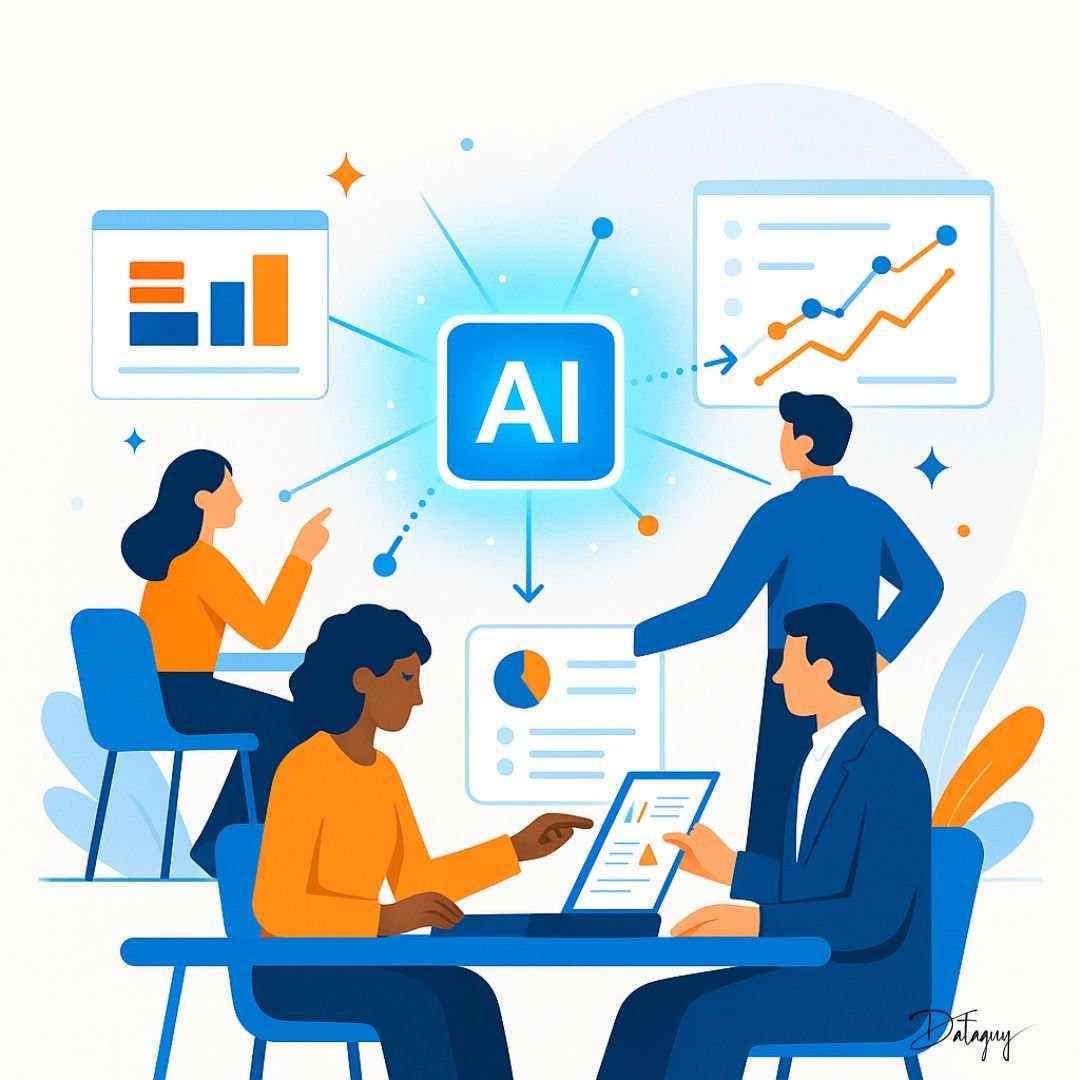
Workfast.ai is reimagining productivity through intelligent collaboration. By blending automation, analytics, and human insight, it helps teams work smarter — not harder. The platform orchestrates workflows, predicts bottlenecks, and connects every task to purpose, making intelligent efficiency a daily reality.
As part of our Brand Connect feature, this collaboration explores how AI-driven productivity is evolving from app overload to contextual intelligence — where AI not only assists but amplifies human performance.